What to Look for Before Connecting a Broker to Trading Software
Before connecting a live brokerage account to trading software, traders need to evaluate security, API permissions, broker compatibility, execution reliability, fees, support, and testing tools. This guide explains the key due diligence steps to take before using automation with real capital.
By Troy Swartwood, Founder & Software Engineer · Published 2026-05-10 · Updated 2026-06-23
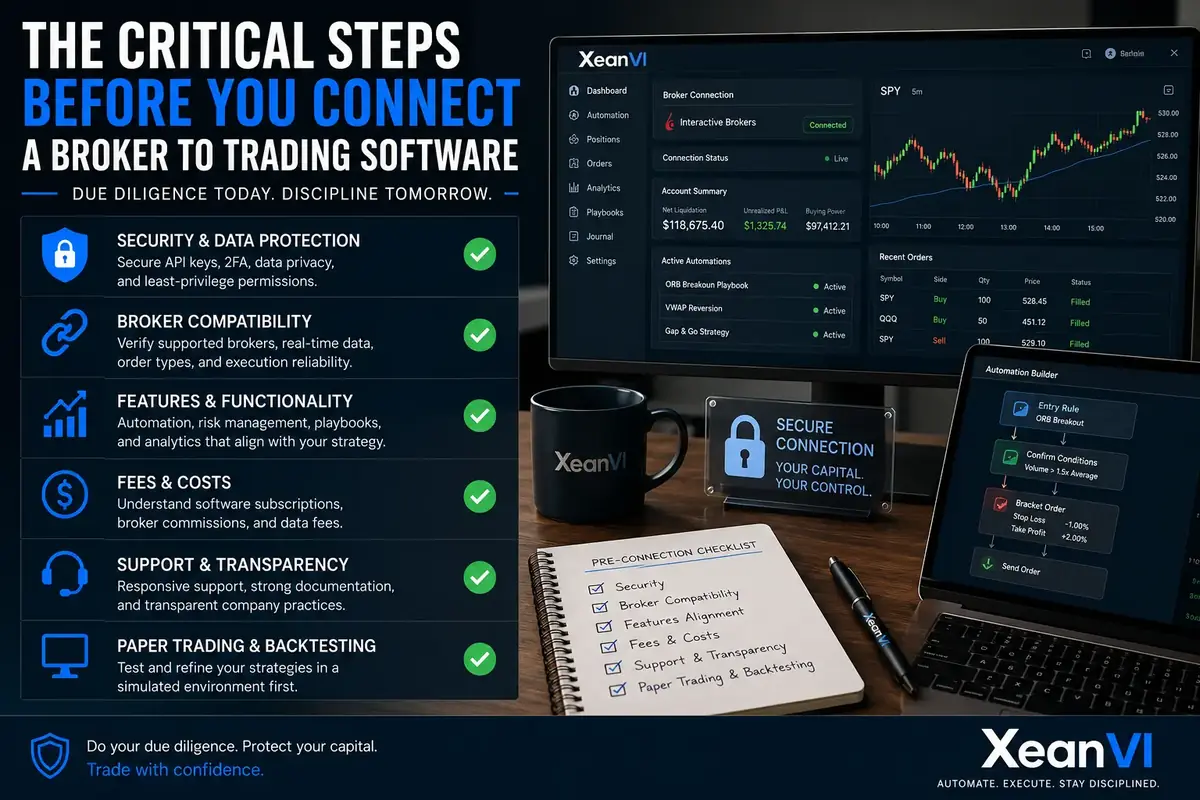
The Critical Steps Before You Connect a Broker to Trading Software
Integrating your brokerage account with trading software can unlock powerful automation and enhance execution discipline. However, this step requires careful consideration and due diligence. Before you connect a broker to trading software, it's crucial to evaluate several key factors to protect your assets, ensure reliable performance, and align the tools with your trading strategy.
Why Due Diligence Matters Before Connecting
Connecting your live trading account to any external software involves trust and potential risk. A thorough evaluation helps you mitigate security vulnerabilities, prevent unexpected technical issues, and ensure the software genuinely supports your trading goals. This isn't just about finding a tool; it's about safeguarding your capital and maintaining control over your trading operations.
Key Considerations When Evaluating Trading Software and Broker Integration
Security and Data Protection
- API Key Management: Understand how the software handles your API keys. Are they encrypted? Can you revoke them easily?
- Two-Factor Authentication (2FA): Does the software support or require 2FA for access and connection?
- Data Privacy Policy: Review the software provider's policy on how your trading data is collected, stored, and used.
- Permissions: Ensure the software only requests necessary permissions from your broker (e.g., trading and account info, not withdrawal access).
Broker Compatibility and Integration Quality
Not all integrations are created equal. A robust connection is vital for reliable execution.
- Supported Brokers: Verify that your preferred broker is officially supported and that the integration is actively maintained. You can often find a list of supported brokers on the platform's broker integration page.
- Real-time Data Flow: Assess the reliability and speed of market data and order status updates. Delays can be costly in fast-moving markets.
- Order Type Support: Does the integration support all the order types you need (e.g., market, limit, stop-loss, bracket orders)?
- Execution Reliability: Look for reviews or transparency reports regarding order execution success rates and latency.
Features and Functionality Alignment
The software should enhance, not complicate, your trading workflow.
- Automation Capabilities: Does it offer the specific automation workflows you need, such as entry/exit rules, scaling, or trailing stops? Explore the platform's features to see if they match your strategy.
- Risk Management Tools: Look for built-in tools like position sizing calculators, daily loss limits, and the ability to implement bracket orders automatically.
- Playbook Creation: Can you easily define and implement your trading strategies or "playbooks"? A platform that supports structured strategy execution can be invaluable for discipline.
- Reporting and Analytics: Does it provide clear performance metrics to help you analyze your trades and refine your approach?
Understanding Fees and Costs
Be clear about all associated expenses.
- Software Subscription: Understand the pricing model – monthly, annual, or tiered. You can often find details on the pricing page.
- Broker Commissions: Ensure the software doesn't add hidden fees on top of your broker's commissions.
- Data Fees: Some real-time market data may incur additional costs, either from the software provider or directly from your broker/exchange.
Support and Transparency
Good support can be a lifesaver when issues arise.
- Customer Support: Evaluate the responsiveness and quality of customer support. Are there multiple channels (email, chat, phone)?
- Documentation and Resources: Is there comprehensive documentation, tutorials, and a knowledge base to help you set up and troubleshoot?
- Company Transparency: A transparent company often provides clear information about its operations, security measures, and future roadmap. Review their transparency page if available.
Paper Trading and Backtesting Capabilities
Before committing real capital, test your strategies.
- Paper Trading Environment: A robust paper trading (simulated trading) environment is essential for testing your automation workflows and strategies without financial risk.
- Backtesting: The ability to backtest your strategies against historical data can provide valuable insights into their potential performance under different market conditions. This is a key component of developing effective playbooks.
The XeanVI Approach to Secure and Disciplined Trading
At XeanVI, we understand the importance of secure and reliable broker integration. Our platform is designed to provide robust automation and execution discipline, empowering traders to implement their strategies with confidence. We prioritize secure API connections, transparent operations, and tools that support your risk management framework, helping you maintain control over your trading journey. XeanVI does not promise trading profits or specific outcomes. The platform is designed to support disciplined execution, secure broker connectivity, and structured risk management workflows.
Conclusion
Connecting a broker to trading software is a powerful step towards more automated and disciplined trading. By carefully evaluating security, integration quality, features, costs, and support, you can make an informed decision that aligns with your trading objectives and enhances your overall trading experience. Always prioritize platforms that emphasize transparency, robust risk management, and a commitment to secure operations.
Educational source: For a general risk overview, see Investor.gov's day trading overview.